
在韩国看B站世界杯当前地区不可播放?这篇指南帮你突破限制看遍全球赛事
Imagine you’re sitting in a Seoul café, phone in hand, ready to watch the World Cup on B站—only to see the dreaded “当前地区不可播放” message. Or you’re in a New York apartment, wanting to catch the欧洲杯 final on a domestic platform but can’t get past the region lock. These are common frustrations for overseas Chinese,留学生, and expats. The reason? Copyright laws tie streaming content to specific regions, so your foreign IP address blocks access. But don’t worry—this guide will show you how to fix this with a reliable accelerator, covering everything from NBA games to the 2026 World Cup, with step-by-step instructions and real-life scenarios.
Why Can’t You Watch Domestic Sports Streams Overseas?
Most domestic streaming platforms like Tencent Sports, B站, and CCTV Sports only hold rights to broadcast content within China. When you’re abroad, your IP address reveals your location, triggering region restrictions. For example, trying to watch Korea vs Colombia World Cup live on a domestic app while in London? You’ll get a “this content is unavailable in your region” error. Same with Czech vs South Africa—even if you’re a fan in Sydney, the stream will be blocked. These restrictions aren’t personal; they’re just part of how copyright licensing works.
How to Choose the Right Accelerator for Overseas Sports Streaming?
Not all accelerators are created equal. You need one that’s tailored for “returning to China” access, with stable connections, multi-platform support, and strong security. That’s where Tomato Accelerator comes in—let’s break down why it’s the go-to choice for sports fans overseas.
Global Nodes & Smart Optimal Route
Tomato has a vast network of global nodes spread across continents. When you open the app, it automatically scans your location and picks the best route to connect to domestic platforms. For example, if you’re in Seoul trying to watch B站世界杯, it’ll connect you to the nearest node optimized for B站, cutting down on lag and buffering. No more manually switching nodes—smart tech does the work for you.
Multi-Platform Support & Multi-Device Simultaneous Use
Whether you’re using an Android phone, iOS tablet, Windows laptop, or Mac desktop, Tomato works seamlessly across all. And the best part? One account lets you use it on multiple devices at the same time. So you can watch the NBA on your laptop while your family streams the World Cup on the TV (via a connected device) — no extra fees, no hassle.
Stable Unlimited Traffic & Dedicated Lines for Sports & Entertainment
Nothing ruins a game more than buffering mid-goal. Tomato offers stable unlimited traffic, so you don’t have to worry about data caps during a long match. It also uses smart分流 to prioritize your streaming traffic over other activities. Plus, there are dedicated lines for returning to China’s影音 and game platforms, with 100M exclusive bandwidth. That means smooth 1080p or even 4K streams of your favorite sports, no matter where you are.
Data Security Encryption & Dedicated Line Transmission
When you’re using public Wi-Fi overseas (like in a café or airport), your data is at risk. Tomato uses strong AES-256 encryption and dedicated line transmission to keep your online activity private. So you can stream safely without worrying about hackers or data leaks.
Real-Time After-Sales Support & Professional Tech Team
If you run into any issues—like a sudden disconnection during the final minutes of a game—Tomato’s support team is there 24/7. Their professional tech team can help you troubleshoot quickly, so you don’t miss a single moment of the action. Just send a message, and they’ll get back to you in no time.
Step-by-Step Guide to Watching Sports Streams Overseas with Tomato Accelerator
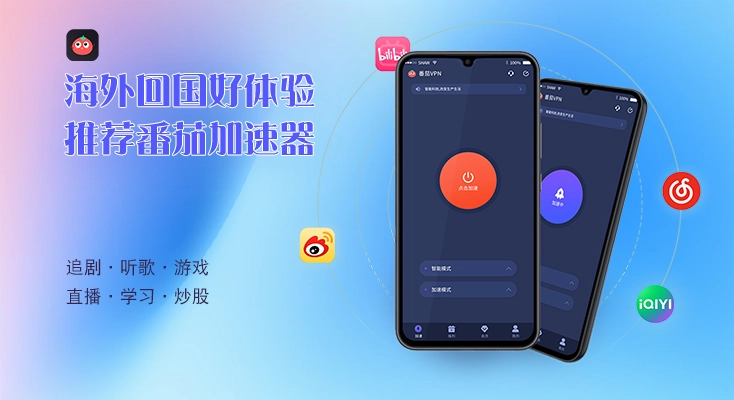
Using Tomato is easy. First, download the app on your device (Android, iOS, Windows, Mac) from the official website. Then, sign up for an account and choose a plan that fits your needs. Next, open the app, select a “Return to China” server (Tomato will recommend the best one for your location). Once connected, open your favorite domestic platform—like Tencent Sports for NBA, B站 for World Cup, or iQiyi for football leagues. That’s it—you’re ready to watch!
Specific Scenarios: Watching World Cup & Other Matches Overseas
Scenario 1: 在韩国看B站世界杯当前地区不可播放
You’re in Seoul, craving to watch the World Cup on B站 but get the “当前地区不可播放” error. Here’s what to do: Open Tomato Accelerator, select the B站-optimized node (the app will suggest it), connect. Then refresh B站—you’ll now have access to all the World Cup content, including live streams and highlights. No more missing the big games!
Scenario 2: 在国外怎么看韩国 vs 哥伦比亚世界杯直播
Suppose you’re in Toronto and want to watch the Korea vs Colombia World Cup match on CCTV Sports. Open Tomato, pick the CCTV Sports dedicated line (since it’s optimized for that platform), connect. Then go to the CCTV Sports app or website—you can stream the match live without any region errors. The 100M bandwidth ensures the stream is smooth even during peak times.
Scenario 3: 在国外看世界杯捷克 vs 南非无法播放
Let’s say you’re in Paris and try to watch Czech vs South Africa on a domestic streaming site but it’s blocked. Use Tomato: select the optimal node for that site (the app’s smart recommendation will help), connect. Now the site will think you’re in China, so you can watch the match live. The unlimited traffic means you can watch the entire game without worrying about data limits.
Scenario4: 2026美加墨世界杯 Watching Scenario
The 2026美加墨世界杯 will be the first with 48 teams, and if you’re living or traveling in North America, you might want to watch it with Chinese commentary on platforms like Tencent Sports or B站. Tomato Accelerator will have pre-optimized nodes for these platforms, ensuring you get the fastest, most stable connection. Whether you’re at a friend’s place in Los Angeles or a hotel in Montreal, you can stream every match in 4K, with no buffering. And since it supports multi-device use, you can watch on your phone while your kid watches another game on the tablet—all with one account.
Final Tips for a Smooth Streaming Experience
To get the best results, make sure your internet connection is stable. Also, close any unnecessary apps in the background to free up bandwidth. And if you ever have issues, reach out to Tomato’s support team—they’re always ready to help.
Remember that time you were in Seoul and couldn’t watch B站世界杯 because of region restrictions? Or when you wanted to watch the欧洲杯 in New York but hit a wall? With Tomato Accelerator, those problems are a thing of the past. Whether it’s the NBA, World Cup (including 2026), or any other sports, Tomato gives you access to domestic platforms with smooth streams, strong security, and multi-device support. So next time you’re overseas and craving your favorite sports with Chinese commentary, just fire up Tomato—you won’t be disappointed.